Client reports in 10 minutes instead of 1.5 hours
End of the month, and every client needs a report: what was done, how many hours and the amount due. Each one took an hour to an hour and a half of manual work in Excel. Now I run one command, and the report is ready in 10 minutes.
Up to an hour and a half of manual work per client
I track my hours in Worksection, but I used to put the reports together by hand. The client who needs a day-by-day breakdown took the longest. One mistake in a formula or a task name meant checking the whole report again.
Before: 6 manual steps
- Export the month's tasks and hours from Worksection
- Fix task names in Excel so they read professionally
- Set up hour formats and formulas for totals and amounts
- Save the report as a PDF
- Copy and paste everything into Notion
- Adjust the formatting in Notion
Now
The difference is obvious at first glance
Instead of an Excel table, the client receives a polished document in brand colors: a summary, hours, the amount due and a clean list of completed work.
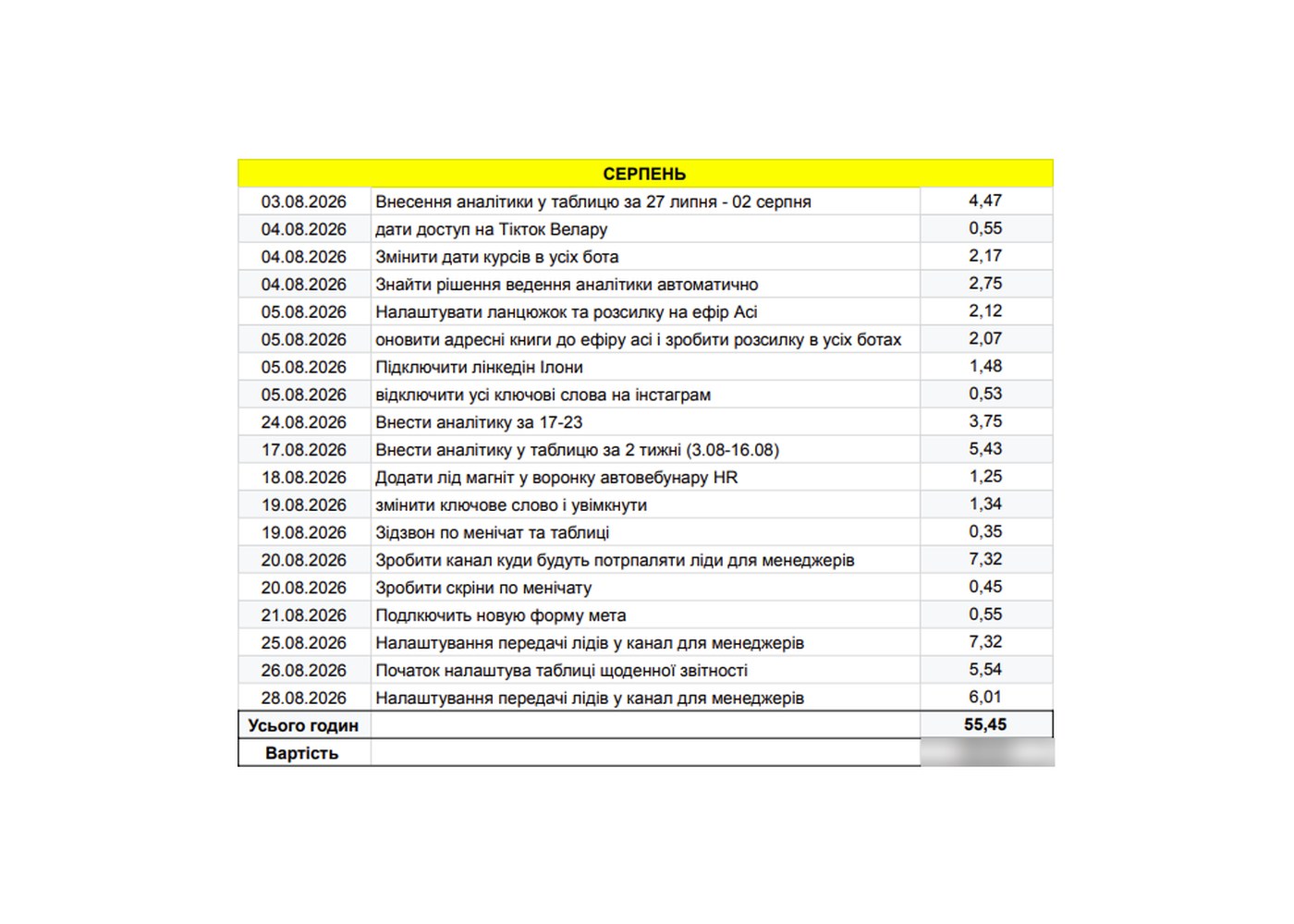
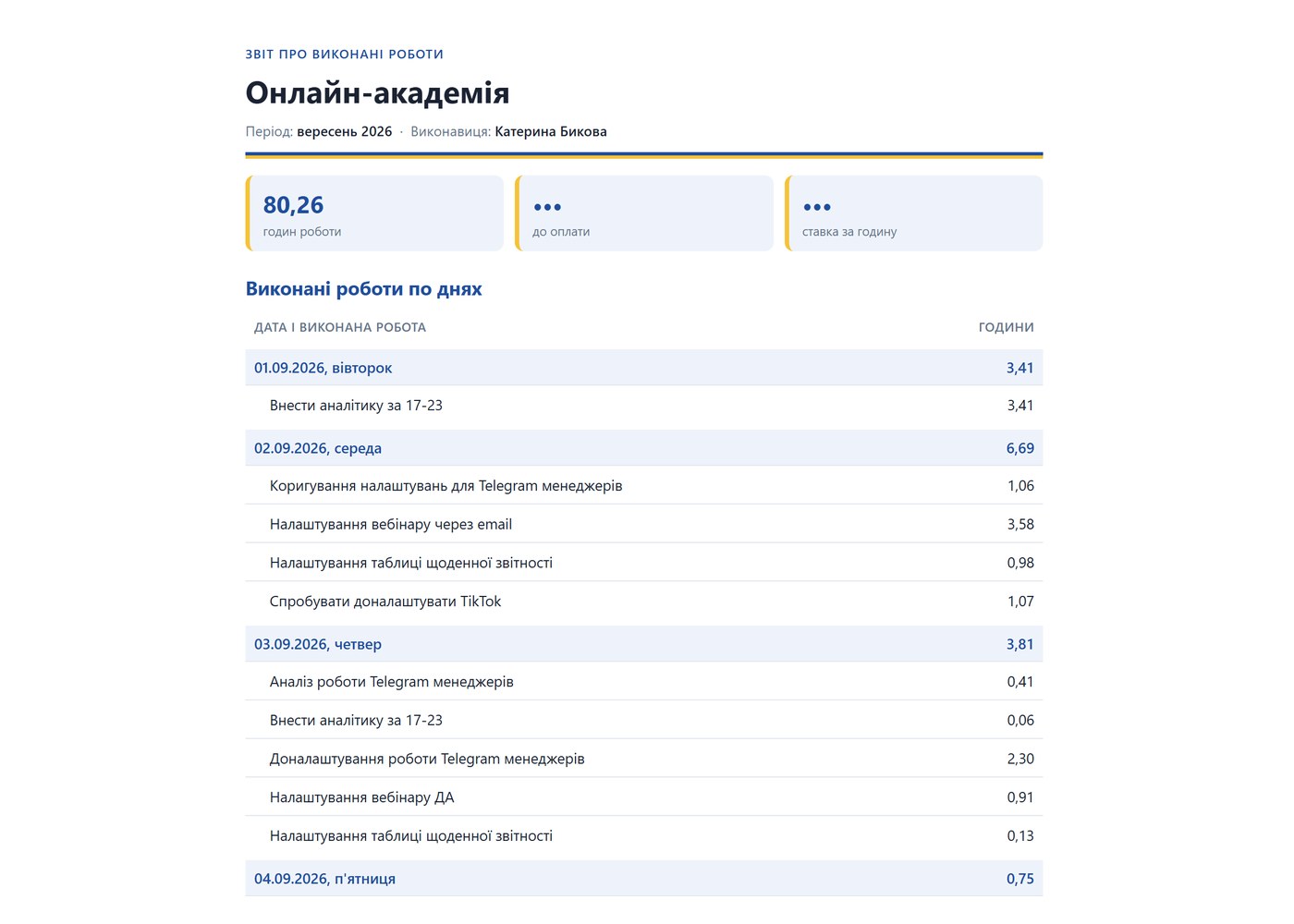 Before · ExcelAfter · auto
Drag the slider to compare. Amounts and rates are hidden. The reports are in Ukrainian.
From tracked hours to a finished archive
- 01Connected Worksection: the month's hours and tasks are exported automatically.
- 02Built a client rates table in Notion (UAH or EUR) and a report archive organized by year and month.
- 03An AI assistant fixes typos in task names, groups tasks into categories the client understands, writes a short summary and shows a table for review.
- 04The report is turned into a branded PDF and saved to the right year and month folder.
- 05The same PDF is published to Notion with no copy-pasting or reformatting.
- 06Each client gets their own format: by category or by day, in UAH or in EUR converted at the National Bank of Ukraine rate.
What it looks like in practice
Click any image to enlarge it.
What changed
- 10 minutes instead of 1–1.5 hours per report, 6–9 times faster.
- 30 minutes a month instead of 3–4.5 hours across three clients.
- 30+ hours a year freed up for billable work.
- Amounts are calculated automatically from the rates table, so there are no manual calculation errors.
- Reports look far more professional, which builds client trust.
Spending hours on routine reports?
Describe the task that takes up your time and the result you want. I'll tell you how to automate it with the tools you already use: CRM, spreadsheets, time trackers, Notion, chatbots.
Discuss your task